 Rick Flair
Modern Warfare 4 Controller Settings Quick Summary:
- MW4’s controller menu looks familiar, but ADS and FOV behavior changed compared to recent CoD games.
- Keeping your stick dead zones low makes movement and aiming feel noticeably more responsive.
- Dynamic Aim Response Curve still works really well with the current aim assist.
- Tactical and Slide Only are good choices if you want movement to stay fast without adding awkward inputs.
Wanna be at max level once the game drops? Make sure to check out our CoD Accounts and get the one you need.


Read closely 
Browse our hottest Call of Duty Boosting services







Modern Warfare 4 Best Controller Settings
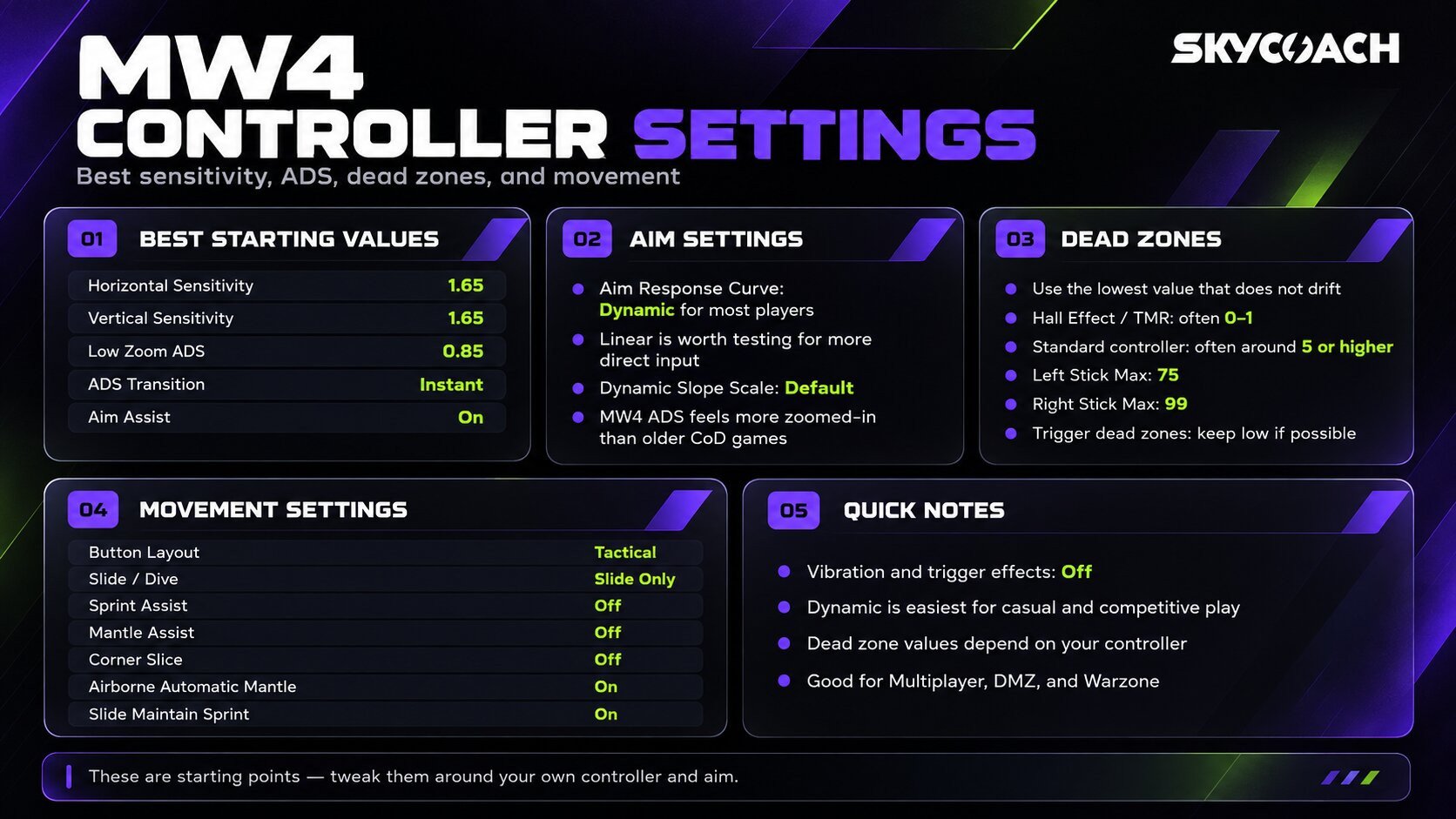
Before I start the guide, I have to warn you that I rarely give exact values for something, as there are no universal settings. The settings below are good starting points for further tweaking, so don’t swear by them. Also note that these settings are both for multiplayer, DMZ, and Warzone. It’s easy to become overwhelmed with tons of settings you’ll see in the controller menu, but you don’t need them all, as most of them are okay to leave at default. Most of your performance will be decided by only a few settings. Main settings that directly influence your gameplay are input delay, dead zones, and ADS transition (which is somewhat different from previous COD games). Here are the Modern Warfare 4 best controller settings:
|
Setting |
Recommended Value |
|
Button Layout |
Tactical/Standard |
|
Horizontal Stick Sensitivity |
1.65 |
|
Vertical Stick Sensitivity |
1.65 |
|
Controller Vibration |
Off |
|
Trigger Effects |
Off |
|
Left Stick Min Dead Zone |
1 or lowest without drift |
|
Right Stick Min Dead Zone |
1 or lowest without drift |
|
Left Stick Max Dead Zone |
75 |
|
Right Stick Max Dead Zone |
99 |
|
ADS Transition Timing |
Instant |
|
Aim Response Curve |
Dynamic/Linear |
|
Low Zoom ADS Multiplier |
0.85 |
|
Aim Assist |
On |
|
Corner Slice |
Off |
|
Slide/Dive Behavior |
Slide Only |
|
Airborne Automatic Mantle |
On |
|
Slide Maintain Sprint |
On |
If you aren’t using a pro controller and can’t map back buttons to X/A for jumping, Tactical is your best choice, cause that gives you the ability to jump without lifting your finger off the right stick, and in COD it’s really important. Same for crouching. No more pressing Circle or B to do that. In previous COD games, I usually landed around 7-8 in horizontal and vertical stick sensitivity, but in MW4, they changed the sensitivity yet again, and I went through hoops to figure out sensitivity that’s closer to those sensitivity values. As for deadzones, try to get them as low as possible. If you’re on a pro controller, it usually has TMR or Hall effect sticks, which means they won’t drift at all, but if you feel that you're inadvertently making minor stick adjustments with your thumb that you didn’t want to make, raise the deadzone slightly. If you’re on a standard controller, raise it to 5, and if your stick drifts, maybe even more. Vibration and trigger effects are also staying off. They’re cool in a campaign, but in multiplayer they influence your aiming by a small margin. Finally, Aim Response Curve. I feel like the Dynamic one is gonna be the best solution for most people who wanna play casually, but if you want to play COD (and generally any FPS on consoles) better, try to adapt to the Linear curve. In addition, devs changed the way Dynamic worked in tandem with aim assist since beta, so now there’s even less point in using it.
Best MW4 Sensitivity and Aim Settings
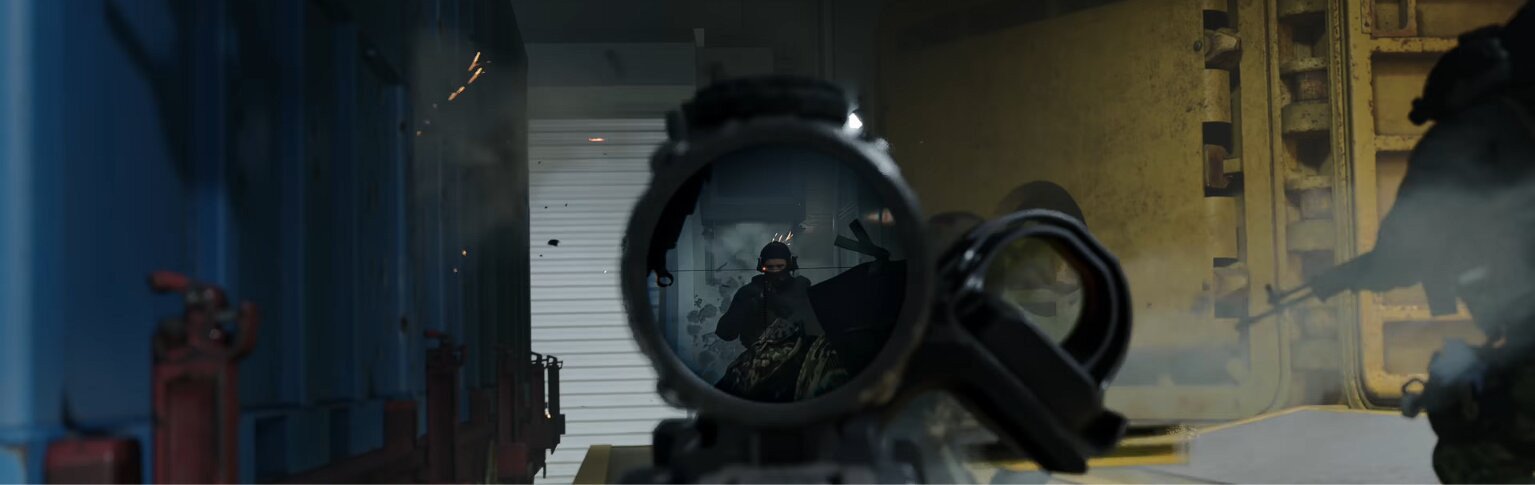
For horizontal and vertical sensitivity, 1.65 on both feels like a good middle ground. It’s quick enough that turning around doesn’t take forever, but it doesn’t make smaller corrections feel uncontrollable either. Sensitivity is obviously one of the settings you should change around your own aim, so if you’ve been playing much lower or higher for years, there’s no reason to force yourself onto 1.65. I just found this to be a happy medium for most.
The more important change is ADS. In previous CoD games, you could choose between Independent and Affected FOV behavior while aiming, but that option isn’t present in the current MW4 beta. The beta seems to use something between those two old settings, meaning players who normally used Affected FOV will notice that their sight picture is more zoomed in than before. That also makes the same ADS sensitivity multiplier feel slower. Because of that, 0.85 for low-zoom ADS sensitivity is way better here than the way Pros set their sens to around 0.70–0.75 in previous games of the franchise. For the rest of the aiming settings:
- ADS Sensitivity Transition Timing: Instant
- Aim Response Curve: Dynamic/Linear
- Dynamic Slope Scale: Default
- Low Zoom ADS Multiplier: 0.85
- Aim Assist: On
When it comes to ADS, I prefer Instant because I want the slower ADS sensitivity to kick in right when I start aiming, not slowly blend into it during the animation. Gradual isn’t necessarily bad, and some players genuinely like that smoother transition, but for me, Instant feels more intuitive.
Browse our hottest Call of Duty Boosting services







Best Dead Zone Settings in Modern Warfare 4
Dead zones are the prime example of settings you shouldn’t just copy. Most content creators and pros use pro controllers, so for them setting this parameter to 1 is fine cause modern pro controllers are built to never drift. If you’re on an official PS5 or Xbox controller, they drift and jitter regularly, even if you buy a new one from the factory, not to mention if you’ve been using them since buying a console. The goal is to use the lowest minimum dead zone your controller can handle without drifting or making accidental adjustments. Unlike many FPS games, MW4 has an in-game stick drift test. It’s pretty accurate, so you can safely use it. To check if you have stick drift, start the test and don’t touch the sticks. If the test shows any movement when they’re static, you have it. Bonus tip: sometimes potentiometers on controllers get dirty, especially if you haven’t used your controllers for a while. Pick up cotton swabs and some alcohol and clean the gap at the base of the stick. Alternatively, just get some canned air and blow it into the gaps. If this didn’t help, time to get a new controller. Now let’s get to the recommended dead zone values for MW4 multiplayer:
|
Dead Zone Setting |
Value |
Reason |
|
Left Stick Minimum |
1/lowest possible |
Faster movement response |
|
Right Stick Minimum |
1/lowest possible |
Immediate aim input |
|
Left Stick Maximum |
75 |
Reach full movement with less stick travel |
|
Right Stick Maximum |
99 |
Keep the full aiming range |
|
Trigger Dead Zones |
As low as possible |
Faster ADS and firing response |
The 75 left stick maximum is one of those settings that just makes playing more convenient. The less you tilt your stick, the faster you reach top speed. That’s it. The right stick is different because aiming benefits from keeping as much range as possible, which is why I leave that at 99. As for the trigger dead zones, try to get them as low as possible without it reacting to the slightest pressure. Alternatively, put aiming and shooting on bumper buttons (L1/R1 or LB/RB).


You got -20% OFF 
Best Modern Warfare 4 Movement Settings

I’m not doing anything crazy with movement here. Sprint Assist stays off because I still prefer controlling when I sprint myself, and Mantle Assist will stay off too. The two settings I would change are Corner Slice and Slide/Dive Behavior because both can add movement or camera behavior I don’t really want. Corner Slice creates that little lean when you ADS around a corner, but the important part is that this is mostly first-person presentation. It doesn’t decrease your actual hitbox. For me, it’s just extra movement on the screen, so I’d rather disable it. My movement settings look like this:
- Sprint Assist: Off
- Mantle Assist: Off
- Corner Slice: Off
- Slide/Dive Behavior: Slide Only
- Airborne Automatic Mantle: On
- Slide Maintain Sprint: On
I went with Slide Only mostly because I don’t dive. If you’re one of the dropshots, don’t use this setting. Maybe try Hybrid mode for this setting. With the normal tap behavior, it’s possible to trigger a dive when you were just trying to slide quickly, especially if you shorten the input delay to make sliding more responsive. Removing the dive input completely fixes that.
Read our other MW4 guides:
F.A.Q.
What is the best sensitivity for Modern Warfare 4?
1.65 horizontal and 1.65 vertical is a good starting point for controller players who want a fairly fast sensitivity without losing too much precision. There isn’t one objectively best value, though, so keep your horizontal and vertical equal and adjust both together until turning feels comfortable.
What is the best ADS sensitivity in MW4?
For low zoom optics, 0.85 works well with the current beta’s FOV behavior. MW4 feels slightly more zoomed in while aiming than players used to Affected FOV may expect, so raising the ADS multiplier can make aiming feel closer to previous Call of Duty games.
Should I use Dynamic or Linear Aim Response Curve in Modern Warfare 4?
Dynamic is the response curve I recommend for most controller players. It gives you a quicker initial response while still working well with MW4’s aim assist, which makes it useful for both snapping onto targets and tracking them.
What dead zone should I use in MW4?
Use the lowest minimum dead zone that doesn’t cause stick drift. A new or TMR/Hall Effect controller may work at 0–1, while an older controller may need a higher value, so the in-game stick test is more useful than copying somebody else’s number.