 Rick Flair
Hytale has finally been released after 7 years in development hell. It’s in early access now, but even in that state, there are already tons of mods you can discover. This article will cover the best Hytale mods that are already available. We will also explain where you can find them and how to install them. We will not include any cheating mods, though. Something like unbreakable tools or the ability to mine a single vein of a resource indefinitely is out of the question. Instead, we will focus on quality of life, new content, and gameplay features.
Still haven’t gotten the game? Why not try our Hytale Accounts service? You can buy any edition you want, sometimes at a lower price than in the official store!
Read our other Hytale guides:
Note: At Skycoach, you can Buy Hytale Boost at the best prices with fast delivery. Use our special PROMO CODE (in green) hidden in this article for a 20% DISCOUNT.



Best Hytale Mods 2026
Now let’s talk about something actually important - the Hytale mods. The game is still in early development, so many gameplay features are unpolished or unfinished. Some of the mods here add new gameplay features, while others aim to improve what’s already in there. We will present 16 mods that we carefully handpicked for you. They are listed in no particular order, so it’s not a top or tier list. These are just the mods we considered useful and good. Here are the best Hytale mods for 2026.
EyeSpy
A simple, yet useful QoL mod that allows you to get info on any block or creature you look at. Here are all the features available in this mod:
- You’ll be able to see the block’s name and the mod where it comes from.
- You can see the bench’s current upgrade tier and the chest’s contents!
- View the progress of ore processing in the furnace.
As for the creatures, this mod allows you to see their name and current health, which is especially useful to figure out if you want to go for that risky blow or not. This mod doesn’t overwhelm you with unnecessary information or overload the UI. It’s clean and simple, just like you want a mod to be. The developer promises to add new features, such as mining and farming info and config options.
Ymmersive Melodies
A fun little mod that adds various musical instruments to the game. It’s really simple, yet adds so much to the fun of playing with friends. To access the instruments, you need to craft them on the workbench in the tools section. You can play music from preinstalled MIDI tracks, or install your own MIDI files via a URL or a local file. The roadmap for this mod includes features such as NPCs playing instruments and keyboard input to play your own music. We consider this one of the must have Hytale mods.
Wan’s Wonder Weapons
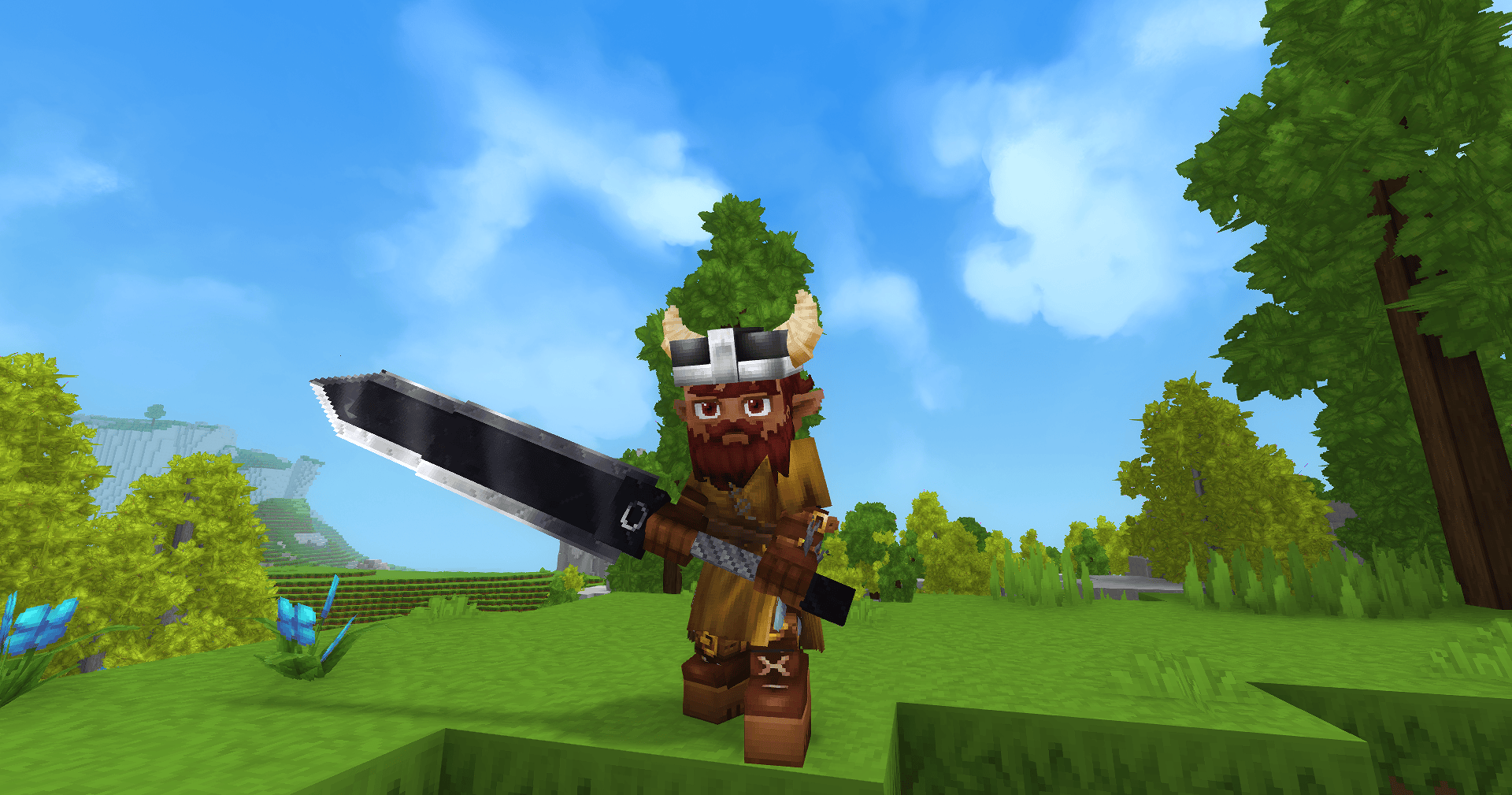
Available weapons aren’t enough for you? No problem! Simply install this mod and get access to 15 new and unique weapons. They’re all fun and really powerful. Be careful, as they might be unbalanced. If you want to have the intended experience, maybe avoid this mod for now. From what the developer says, the relics all follow the current highest-tier crafting balance, i.e., Mithril weapons. Unlike them, it requires Onyxium as the core material. Here are all the weapons available in this mod right now:
- Mjollnir: Hold the power of the god of thunder in your hands.
- Soulblight: A two-handed blade that once belonged to a powerful lich. It allows you to raise the undead. Be careful, as undeads aren’t fighting on your side as of now.
- Maelstrom: It’s a huge two-handed anchor. What else do you need?
- Ashthorn: Two daggers, forged from smoldering lignite and volcanic resin. It adds the burn effect to your attacks.
- Frostburn: Also daggers, but this time they add the freeze effect to your attacks.
- Heartroot: Another set of daggers, which allow you to bind your target in living vines.
- Nightshade: Possibly the coolest-looking weapon. A one-handed sword, said to poison the enemies.
- Daybreak: Daggers with no special effects, at least from what’s written on the mod’s page. Just really good looking.
- Nightfall: Kind of light Daybreak daggers, just darker.
- Chromatic Cleaver: Two fancy-looking cleavers that are actually daggers. They look really nice.
- Lethal Leftovers: Ever heard of the swordfish? Well, it’s a fishsword.
- Gaia’s Wrath: One of the more powerful and visually impressive weapons. Its ability lets you release a shockwave around you.
- Quasar Cosmic: Forged from a dying star, a beautiful and deadly blade.
- God Slayer: Is this a Berserk reference in my Hytale? A huge two-handed sword. One more game to cosplay as Guts.
- Helioram: It’s a mace that looks like a ram’s head. Pretty cool, but no special effects.
As you can see, the majority of weapons lack any special abilities, but it’s still nice to have a unique-looking weapon, even if it’s just a reskin. Try this mod and see if you like it.
Simply Trash
If you’ve played Hytale for some time, you’ve probably noticed how quickly your inventory clogs from all the loot and resources that drop around you. Some of them are really useful, while others just occupy much-needed space. There is, of course, a salvager available on Tier 2 of a Workbench, but it salvages just one item at a time, and not every item is suitable for it. If you just want to throw out the trash, this is what you need. You can craft the Trash Can in the Workbench using 20 Iron Ingots. Open it, place all the trash inside, and close it. Be careful, as once you close it, all the items inside will disappear for good! Despite how simple this mod is, we consider it to be one of the must have mods for Hytale.
The Pickaxes Place Torches
This mod does exactly what it says. The default interaction when pressing right-click with a pickaxe in your hands is to break the block. This mod changes it to placing the torch when it is selected in your utility slot. This finally lets you dig deep into the caverns without constantly switching to another tool to place the torch. It’s really simple, and there’s not much to say about it, but it’s another important quality-of-life mod.
Overstacked
Another problem that causes your inventory to overflow extremely quickly is the item stack size. For some reason, it’s pretty low, which makes mining or resource-farming a constant backtrack to your house. The Overstacked mod increases the max stack size of some common items. It doesn’t break the balance by letting you carry 999 units of wood in your pocket, but it includes a config system that lets you do so if needed. Here are the default stack changes that go with the mod:
- Ores: 25 to 50
- Wood Trunks: 100 to 250
- Plant Fiber: 100 to 250
- Rocks: 100 to 250
- Soil: 100 to 250
- Petals: 100 to 300
- Rubble: 100 to 150
- Crystal Shards: 100 to 150
- Seeds: 100 to 150 BLOG20
It’s one of the top Hytale mods that allows you to evade the chore of running back to your house all the time and makes the trips to the mines all the more efficient.
Wayback Charm
This mod can be considered a bit of cheating, though, for the price you pay to craft it, we wouldn’t call it that. It allows you to fast-travel back to your home. When holding the charm in your hand, hold the use key to be teleported to the nearest respawn point. To craft the Wayback Charm, you’ll need the following resources:
- Gold Ingot x4
- Medium Leather x1
- Essence of the Void x5
- Essence of Life x5
While this mod is really useful, we don’t recommend abusing it, as it can break the sense of stakes in the game. When you can avoid all dangerous situations by simply teleporting to a safe location, it can ruin all the fun you have really quickly. We hope that the mod developer will add a cooldown or an inability to teleport out of sticky situations.
Violet’s Furnishings
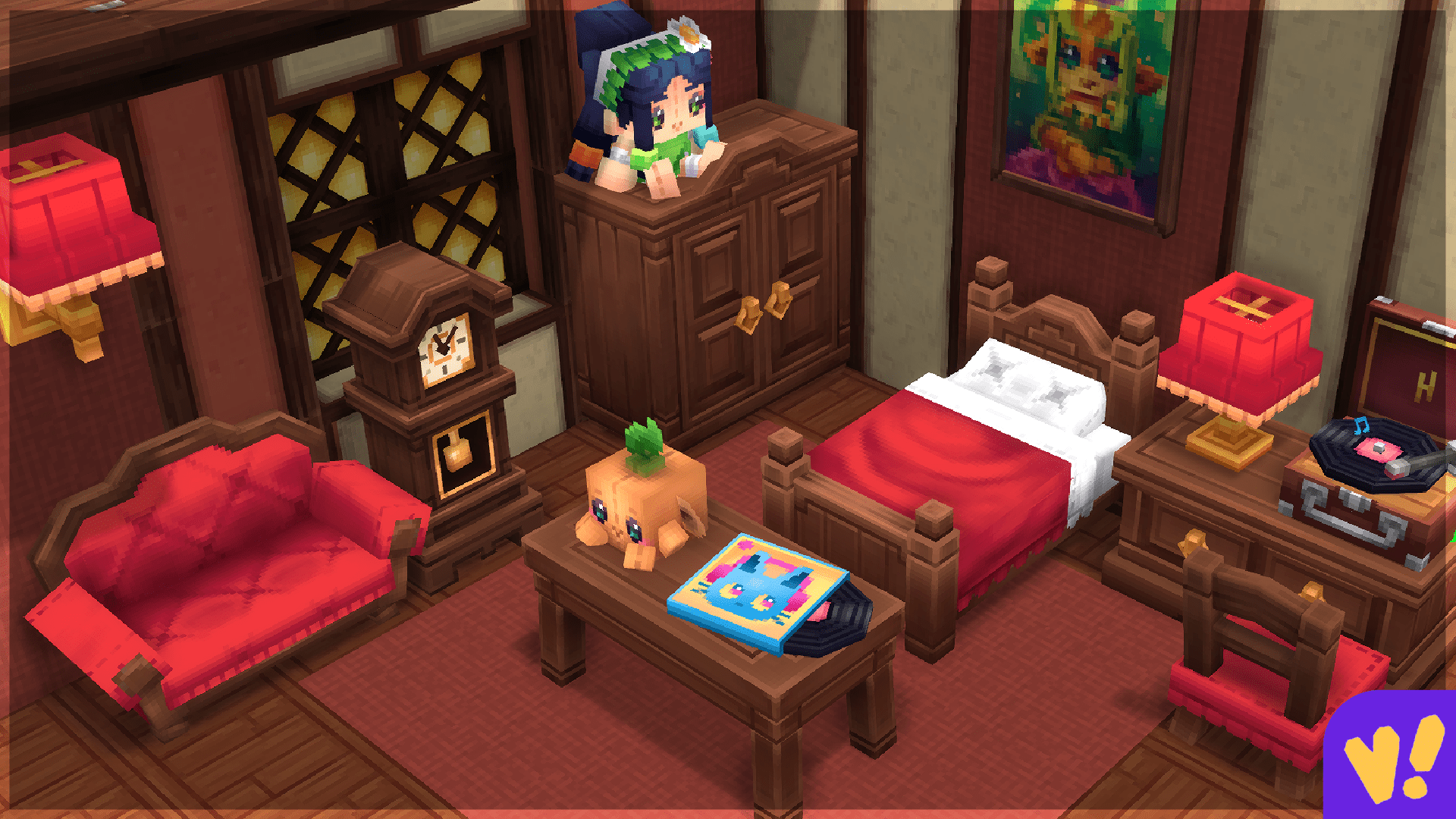
Want a cute and unique decor for your house? Look no further. This mod expands the variety of furniture available in Hytale and makes it fabulous. Here are all the features this mod adds:
- Color Customization on a variety of items
- Custom SFX
- Dedicated crafting bench
It also adds interactive decor, light fixtures, statues, and original artworks. If you’re already itching from desire to build your own beautiful bedroom, this mod is for you.
Item Magnet
The mod adds a literal magnet that drags all the dropped resources to you. You’ve probably already noticed that in order to pick up the resources, you need to be really close to them. This item solves the problem. It occupies the utility slot, so it’s not a passive boost to your gathering ability. You can craft it in the Workbench, using Iron Ingots and Stones. The speed and distance from which the items are drawn to the player can be changed in the config file. It’s one of the simpler yet good mods for Hytale.
Gone Fishing
Though barebones, this mod allows you to fish in Hytale. The mod developer promises to turn fishing into a fully-fledged minigame and add a variety of rods and new fish. For now, it allows you to craft a fishing rod using 2 Sticks and 3 Linen Scraps in the Workbench. To use the rod, equip it and right-click while looking at water. This will launch the bobber, which can be reeled in by right-clicking. Any fish that’s in the base game can be caught this way.
Where This At?
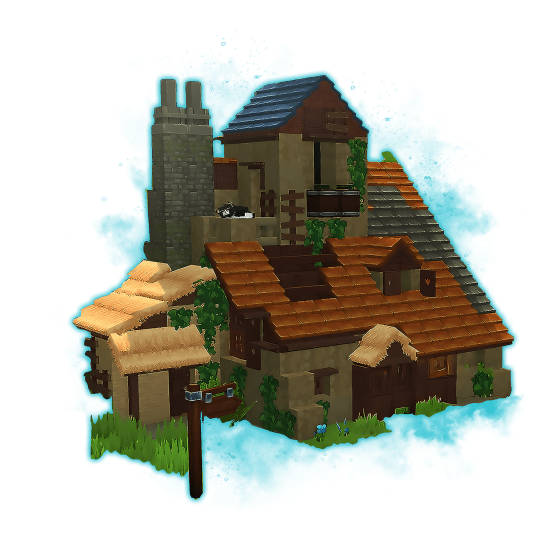
One of the best Hytale mods for new players. It lets you create the so-called Inventory Lectern, which lets you search all inventories nearby. You can craft this item in the Crafting Bench - Tinkering. This GUI lets you find the stored item's location or pull it directly into your inventory. If you press “Find” on the item, the mod will highlight the chest in which the item is stored. It’s super convenient, but can be completely replaced by the next mod in the list.


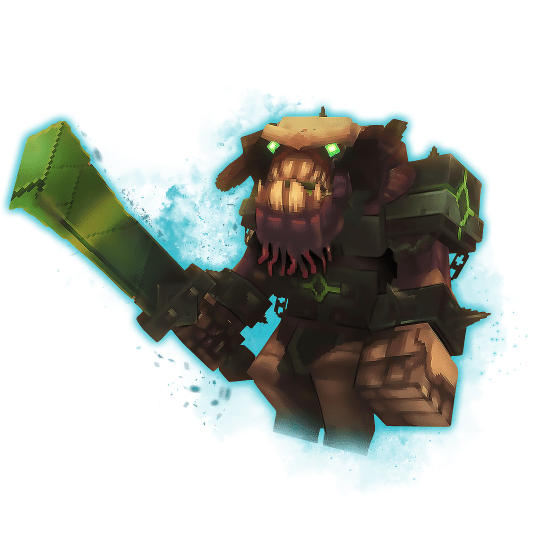

Chest Terminal
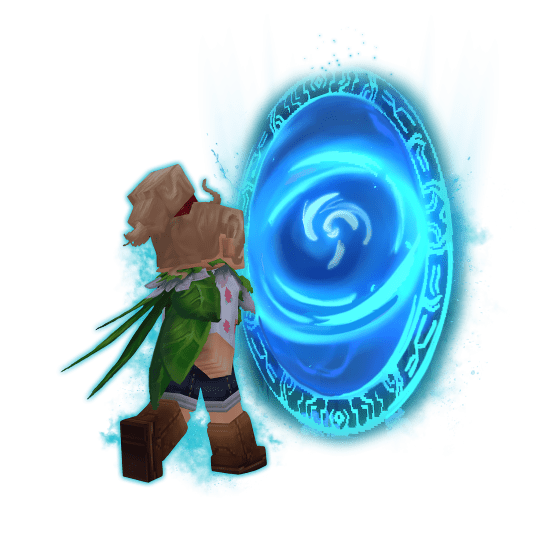
Be very careful, as this mod already includes Where This At into its core. Don’t use both of them together, as it will break the game. This mod expands on the Where This At functionality and lets you automatically distribute items from your inventory into chests within a 25-block radius. To do this, you need to craft the Chest Terminal block and place it. There is also an Inventory Lectern block that works exactly like in Where This At. We decided to put these mods separately, as you might consider this block a bit of cheating, since it significantly decreases the downtime you spend on your base. Then again, who likes inventory management? It’s not a survival horror after all.
Books and Papers
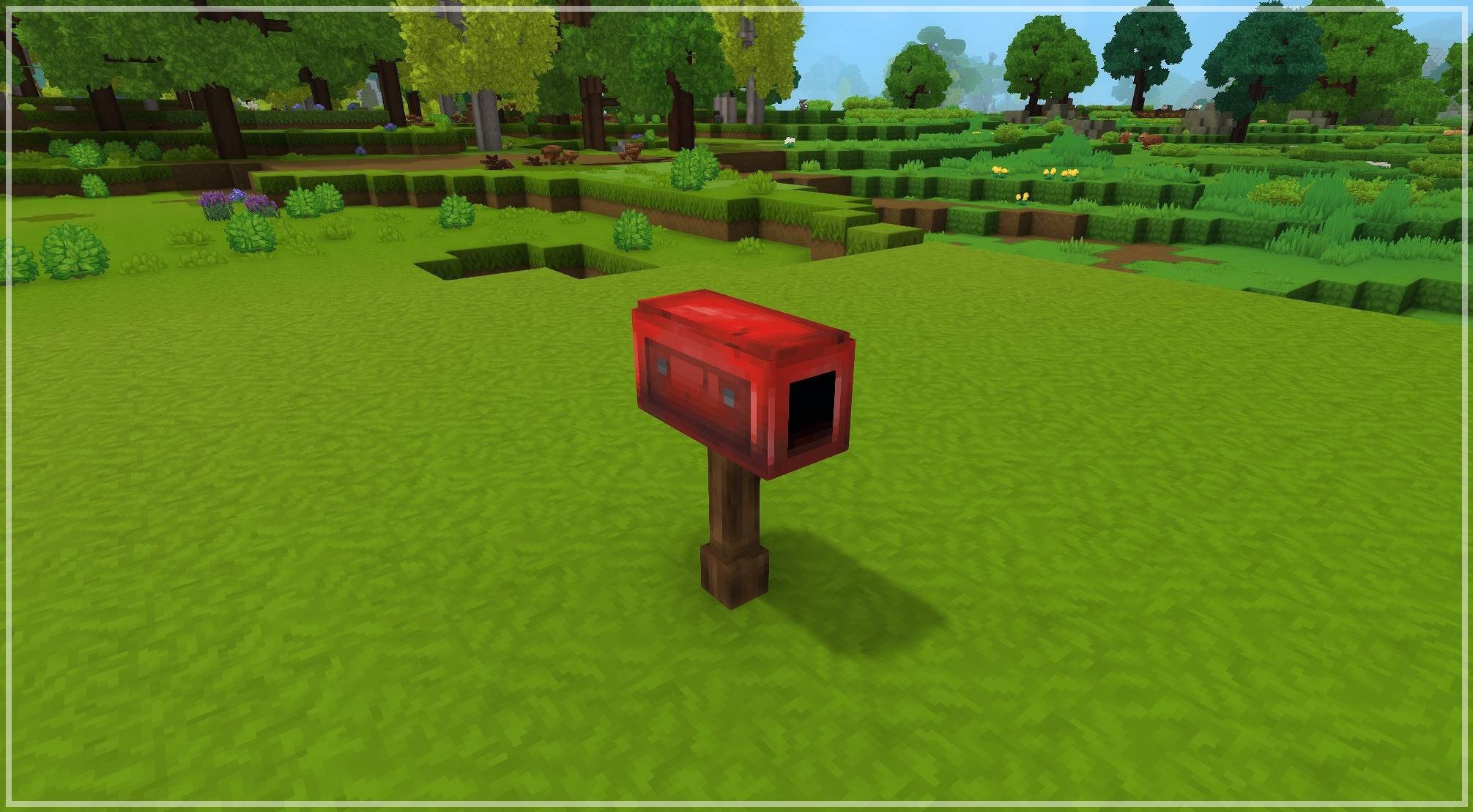
An interesting, but buggy mod. It aims to add various writable books, a mail system, and even hidden lore to find across the world. You can craft books, each with its own unique design. It also lets you place a mailbox to send letters or books to other players. It’s such a cool feature, but it’s brought down by a couple of problems. First of all, it seems that the mailbox isn’t craftable in Exploration mode. Second, it crashes pretty frequently, and some people have reported that this is caused by EyeSpy, another mod. We’d say wait for some time until the issues are fixed, as the ideas in this mod are so cool, we can’t help but admire it.
Hide Armor
By default, there’s no option to make pieces of your armor invisible. What’s the point of character skins if you can’t see them under armor? Granted that earlier armor can’t really flex with good looks, this mod solves this problem. It allows you to toggle your armor’s visibility per slot, and it doesn’t affect stats, inventory, or other players. It’s a great mod for those who enjoy looking at their character, but it only influences your own view. Other players will still see you fully dressed in the armor set. There are some minor problems, like Hytale briefly showing the armor during fast actions, before the server corrects it. Otherwise, the mod should work perfectly, except for some minor bugs.
Landmark
Another mod that somewhat tinkers with the original game’s vision. It allows you to place fast-travel markers as points of interest. By default, this is only acceptable to the server admin, but there are some console commands you can use on the mod’s page that grant this ability to everyone. While this can be considered a cheat mod, we’d say that if used sparingly, it actually becomes a great tool to discover more new places, instead of travelling around your base camp. The developer says they plan to implement a points-of-interest system that rewards players for discovering unique locations and landmarks around the world.
Better Map
The default map exploration in Hytale works quite strangely. The map doesn’t remove the fog of war permanently once you’ve visited a location covered by it. This mod solves this by recording the locations you’ve been to. This makes the exploration more fun, as you steadily unlock more places to visit. These are all the features this mod has:
- Persistent Exploration: Map retains all previously visited areas.
- Customizable View Range: You can change how much of the map is being revealed to you.
- Seamless Expansion: The map stitches together explored chunks.
- Live Configuration: You can change the settings without reloading the server.
It’s honestly kind of strange that this feature isn’t present in the default version of the game. We might expect it to appear further into development, but for now, this can help you avoid waiting for the solution. This is one of the recommended mods for Hytale.
How to Install Mods for Hytale
Obviously, we can’t just list off the mods without explaining how to install them. Fortunately, this process is straightforward. The coolest thing is that modding is already installed in Hytale, so there’s no need to install some extra tools like Fabric or Forge to run mods.
The best place to install mods for Hytale is, of course, CurseForge. The devs have partnered up with the website to launch mod support on day one, so this is by far the best place to search for them. At the time of writing, there are already about 600 mods available for download. Now, how do we actually install mods for Hytale?
- Download the mod you need
- Open the folder where Hytale is installed. You can do that either through a File Explorer or through the game itself!
- Launch the game, go to the Worlds tab, right-click the world you have created, and then press Open folder at the bottom of the page.
- In the opened folder, you’ll see a “mods” subfolder
- Open it and drop your mod inside.
That’s it, you can now enjoy the mod in your game! Note that this will only install the mod for this specific world. If you want to have them installed globally, follow the instructions below.
- Repeat the steps above until the 3rd one.
- Select the “UserData” subfolder in Hytale’s main folder.
- Find the “Mods” folder there. Open it and drop the mod inside.
This will not automatically install all the mods that you have dropped into this folder. You’ll need to apply them manually for each world. To do that, simply right-click the world, and you’ll see a new menu called MODS with a list of mods you have placed into a global mods folder. Simply tick the checkbox next to the required mod and click Save World Settings. Boom! The mod is now applied to this world.
Conclusion
With all the mods listed in this article, you can improve your experience drastically and increase the gameplay’s depth. You gotta understand, though, that these mods are in early stages of development, so you might experience some bugs. If you don’t want to run into issues with your game, wait a week or two until the mods are in a better state, then download them. This concludes the list of mods for your game. Safe travels, and don’t forget to take food with you when going into mines.
F.A.Q
What is the best mod for gathering in Hytale?
Overstacked lets you gather more resources, since it increases the stack size of the most common items.
Where is the best place to get Hytale mods?
You can find the majority of mods in CurseForge. At the time of writing this article, there are more than 600 mods available.
Can you use mods in Hytale?
Yes, the toolkit is implemented into a game, making it really convenient to download and use the mods.
What are the best mods for Hytale?
In our opinion, those are Overstacked, Chest Terminal, Item Magnet, Better Map, Landmark, Simply Trash, and EyeSpy.
Is it safe to install mods on Hytale?
Yes, the game supports mod functionality natively, so you can easily install and remove the mods without any problem.