 Dallon Avery
Best TBC Anniversary Addons Quick Summary:
- In this article, we list our favorite addons that we’re using in TBC Anniversary
- Learn how to install or transfer addons
- Get the best questing addon for leveling up quickly
- Fix WoW UI: move any window, increase the loot window size, and see all vendor items on the same page.
- Track rare monsters, their loot, and your attunement progress.
Need more help getting to Outland? Buy TBC Anniversary Powerleveling boost at Skycoach and get the max level even faster without any addons! Our team of professional WoW players will level up your character quicker than any addon, so you can enjoy that endgame content without any headaches!
Note: At Skycoach, you can Buy TBC Anniversary Boost at the best prices with fast delivery. Use our special PROMO CODE (in green) hidden in this article for a 20% DISCOUNT.
Browse our hottest TBC Anniversary Boosting services







What Are TBC Anniversary Addons?
Despite some modern features making their way into this Classic version of TBC, the UI is still going to be that old, unusable, uninformative crap. And it's not like things are that much better in retail, even now.
Addons are small packages that you can install on top of the game’s client to get access to a bunch of quality-of-life features that are not there by default. The game does a lot of things under the hood, and being able to display some stuff on the screen is always a game-changer. Long-time WoW players don’t even start playing a new expansion without setting up their addons - that’s how good they are.
You get things like leveling helpers, more UI variety - damage meters, buff/debuff trackers, advanced map navigation, and everything else you could ever need can be done through addons for TBC Anniversary.
With TBC still being one of those expansions that are more or less hardcore and slow, you’re going to need all the help you can get in the form of those addons.
How to Install WoW Addons
In case you forgot or don’t know how to install the must-have TBC Anniversary addons, it all works very similarly to every other version of the game, thanks to these games sharing the same file and folder structure. So, here’s what you need to do for most addons to install them:
- Extract addon files into:
- C:\Program Files (x86)\World of Warcraft\_anniversary_\Interface\AddOns (for Windows OS users)
- /Applications/World of Warcraft/_anniversary_/Interface/AddOns (for MacOS users)
- Enable Addons in the game: start WoW, get to the character select screen, and click on the “Addons” button. Select which ones you want to turn on.
- Change settings: almost every addon for WoW has its own settings window that lets you customize it. Type /"addonname" in chat to open the addon settings.
- Applying new settings: usually, to see the changes you’ve made take effect, you need to restart the game client. A simple logout is not going to work.
These are the general steps for installing the addons. What you really have to do is read the addon’s description when you download it. They would usually contain installation instructions. Sometimes, the installation steps could be described in a text file that you can find inside the archive you download. Even though addons work similarly, some kinks might require different installation steps.
Another thing that you could do is transfer already installed addons from the Classic Era client into Anniversary. Here’s what you can try:
- Backup all addons and settings files
- Move everything from /Interface/addOns in _classic era_ to _anniversary_ client folders
- Start the game and check if you have the same list of addons as in Classic
Provided that everything else is the same between config files - the server name, character name, etc., this should work.
Best TBC Anniversary Addons
You might already have your own list of must-have addons for TBC Anniversary, but there are a few addons that I want to list that made my personal experience that much better. I seriously can’t imagine playing this game without the addons that I’m going to list here.
MoveAny
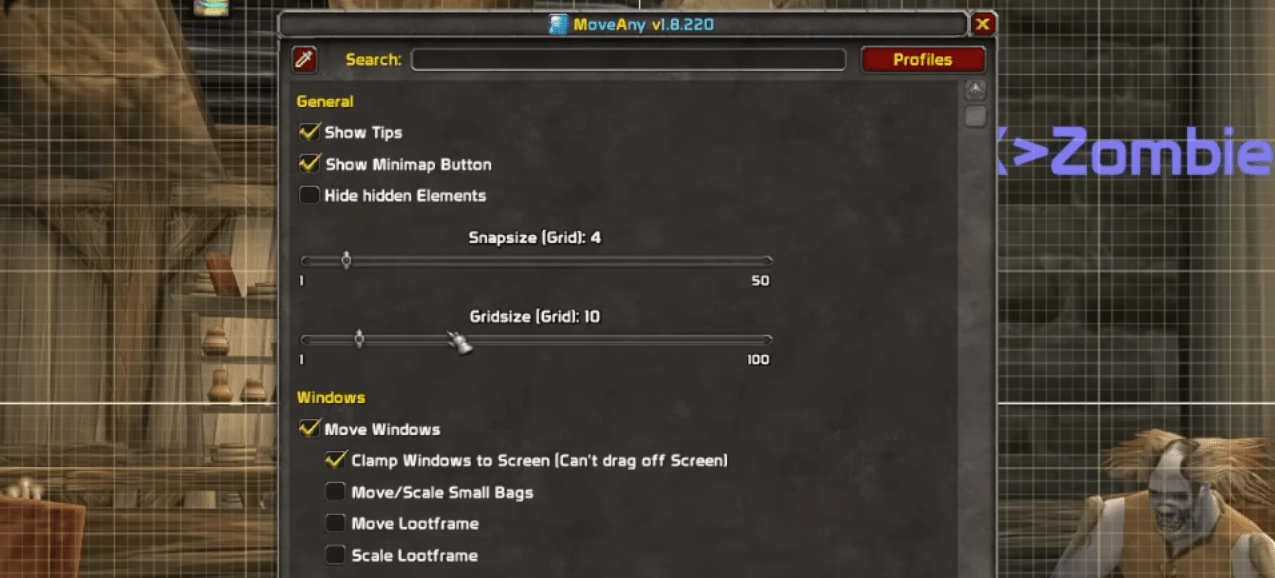
This thing is a life-changer. Definitely a top TBC Anniversary addon. I can’t believe that even retail (aka modern) WoW doesn’t let you move ANY windows: map, inventory, character info, etc. Why is that still the case in 2026, when literally every other MMO out there lets you do that, is a mystery. But anyway, you can use Move Any for the TBC Anniversary. Some of its settings include:
- Show Tips
- Show Minimap Button
- Hide hidden elements
- Clamp Windows to Screen (prevent dragging the window off the screen boundary)
- Resize small bags
- Move/Resize looting window
- Resize any window
So, not only will you be able to move around any panel, but you can also quickly resize them individually, and all the text inside those panels will fill out the increased space just as if this was intended to work with it!
RestedXP
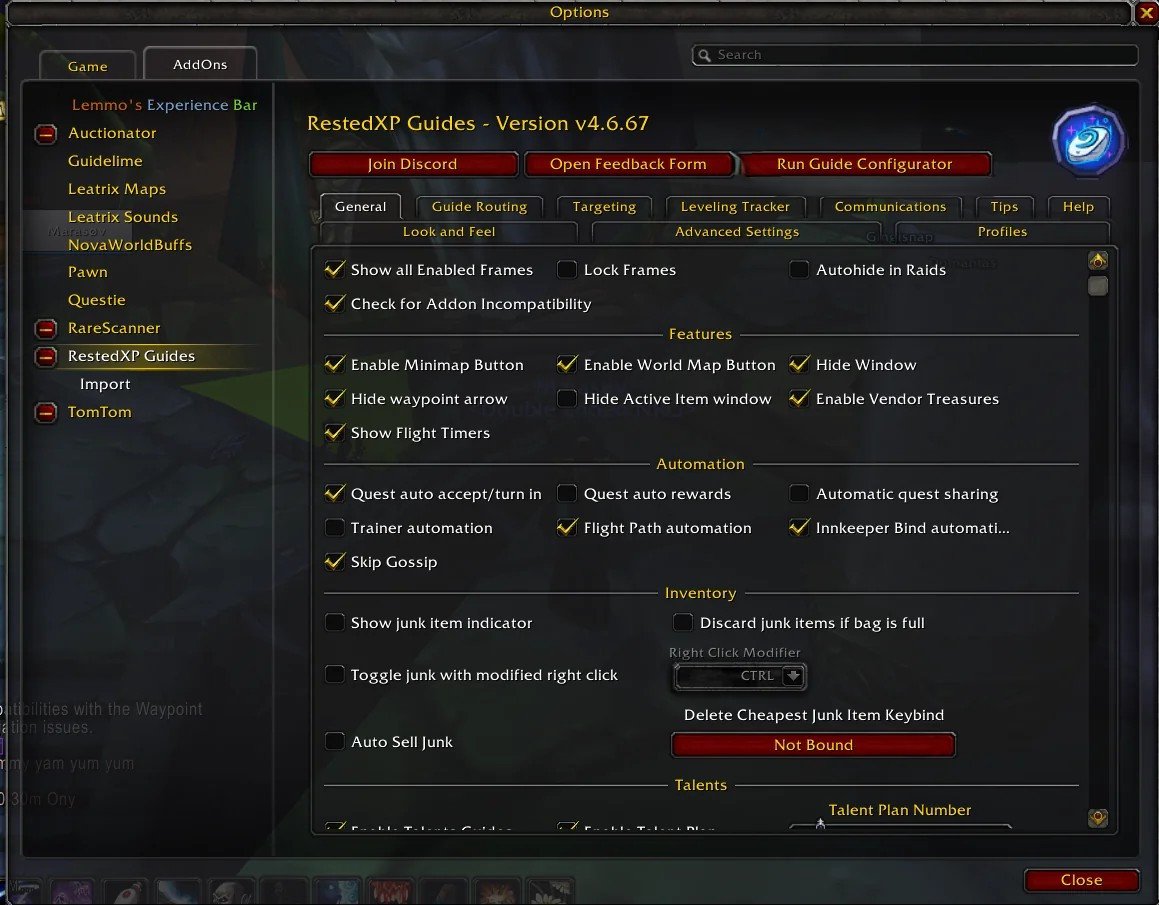
How would you like to save a couple of days when leveling up from 1-70? RestedXP addon is a tool designed to speed up your leveling by providing the most optimized questing routes from level 1 all the way to the max level. It is a massive tool and a very helpful one, too! No wonder so many players name it as one of the top 10 TBC Anniversary addons.
With this addon, you can select different leveling guides, and the addon will provide a navigation system that you will use to follow any of those available guides that seem interesting to you. Some guides are optimized for speed specifically, while others are for the endgame. Some are done in a survival style for hardcore servers. Other notable features include:
- Auto accept and turn in for quests
- Auto NPC targeting that saves time
- Customizable arrow for world navigation
- Time tracker for leveling
This, honestly, could be one of the best TBC Anniversary addons for new players who have no idea which of the thousands of quests they should do. Another cool thing is that with this addon, you could reach level 70 before the new zones in the Outland. You might want to achieve that because questing at max level in all of the new zones will give you up to 6600 gold on one character!
RareScanner
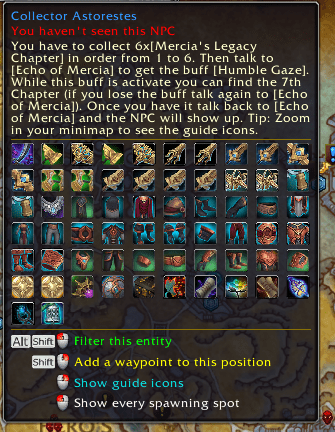
This is one of the best TBC Anniversary mods, guys. Seriously. This addon displays all rare monsters on the map. As you might know, by default, rares don’t show up on the map. And you might want to hunt down these rares because, unlike in Vanilla, TBC rare monsters have the pre-bis gear and generally super expensive items that they drop. This addon lets you preview what any mob will drop right on the map, so you don’t have to waste your time by going there and actually killing the monster to see what they drop.
Attune
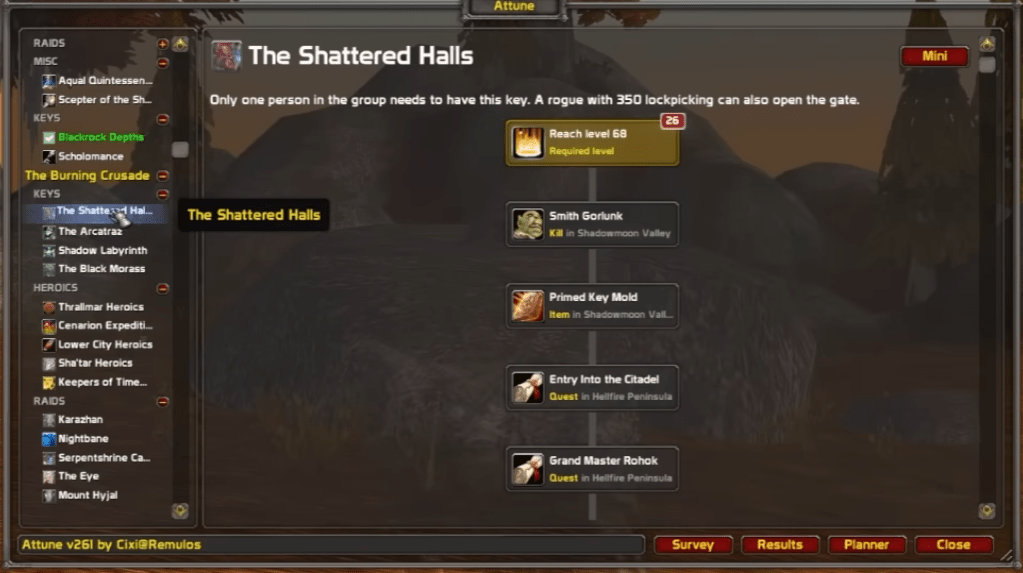
Attunement quests have always been one of those things players love about old WoW. In TBC, you also need to do your attunement quests if you want access to raids, but it’s hard to memorize where those quest chains actually start. This addon gives you a clear path for every attunement quest as a set of objectives. For example - reach level 55, do this quest, get that item, etc.
This makes it super easy to unlock every instance in the game that is locked behind some sort of attunement. And since in TBC Anniversary this is shared between all characters on your account, you only need to do it once!
NugRunning
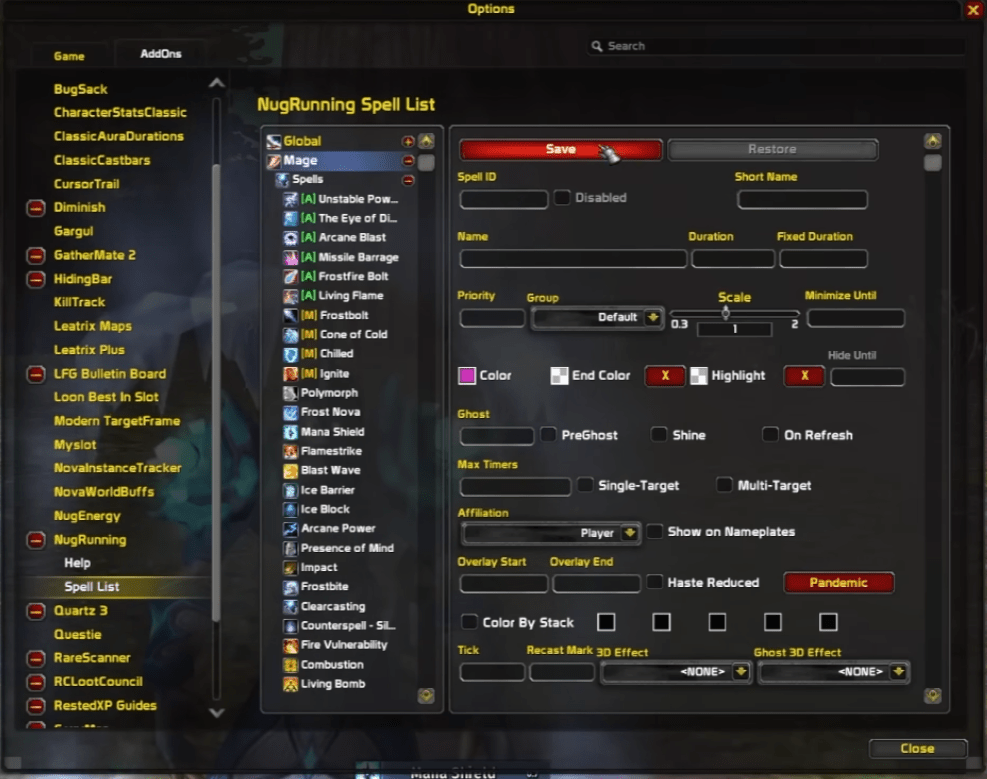
Some of your most important cooldowns can be hard to track by just looking at the action bar. But what if you could create a unique cooldown bar for any ability you wanted and place it somewhere you can actually easily track? Well, this addon lets you do just that.
Wanna know how much time is left until you can use your Mana Shield and Ice Barrier? How about tracking the length of an active buff you put on your buddy in a raid? NugRunner gives you a highly customizable and, most importantly, dynamic cooldown bars that appear and disappear whenever you need them to.
WeakAuras
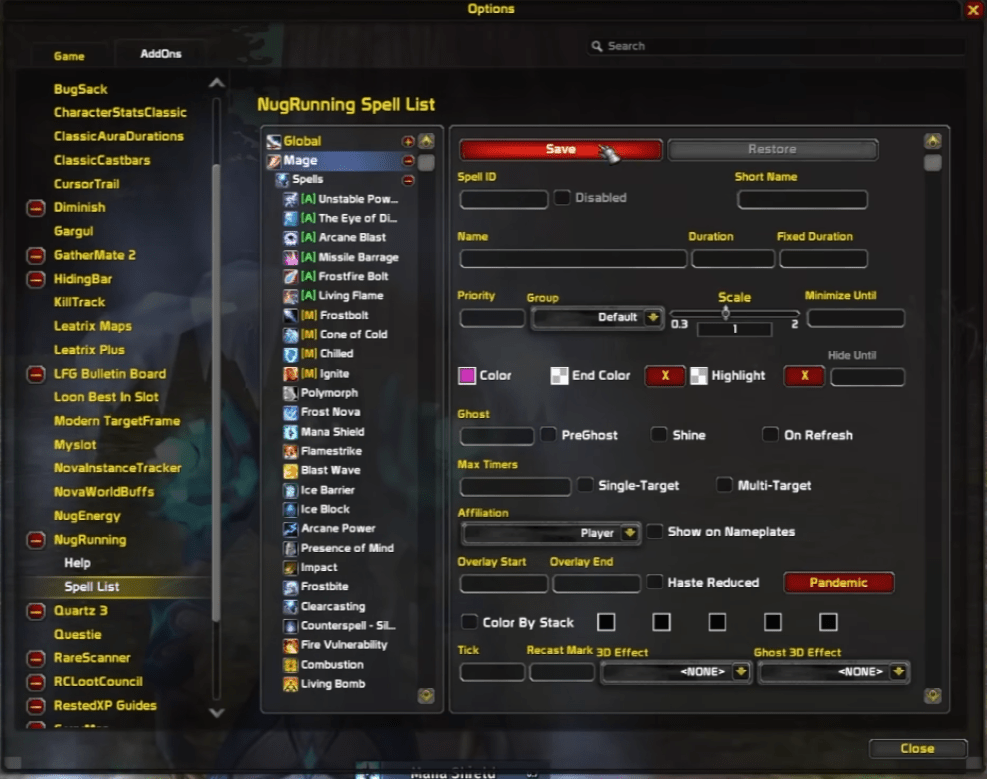
This is the “final boss” of addons. WeakAuras lets you show important information on your screen exactly when you need it and hide everything else. Instead of constantly checking action bars, buff icons, or raid frames, you get clear visual alerts that are impossible to miss.
At its core, WeakAuras tracks things like buffs, debuffs, cooldowns, procs, resources, and boss mechanics. But the real power comes from how customizable it is. You choose what triggers an alert, how it looks, where it appears, and when it disappears. It can be a simple icon, a progress bar, text, sound alerts, or a full animation right in the middle of your screen. Some common uses include:
- Tracking important cooldowns and trinkets
- Showing exact buff and debuff durations
- Alerting you to procs and internal cooldowns
- Warning you about the raid and boss mechanics
- Monitoring mana, rage, energy, or combo points
Yes, it overlaps with addons like NugRunning, but it goes much further. You can recreate simple cooldown bars just like NugRunning, or you can build much smarter displays that only show up under specific conditions. The downside is that it takes more time to set up. The upside is that you can import ready-made WeakAura strings from other players and adjust them in seconds.
Once configured, WeakAuras can replace several tracking addons at once and scale perfectly from casual play to high-end raids and PvP. It’s not mandatory, but if you invest a bit of time into it, this addon completely changes how much information you can process during combat.
Improved Loot Frame
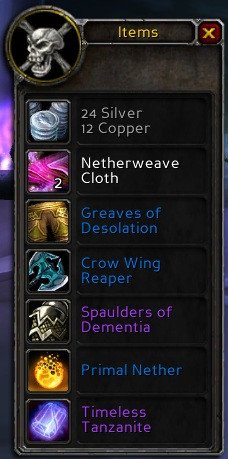
This addon fixes one of the most annoying UI limitations in classic WoW. By default, the loot window only shows a few items at a time, forcing you to scroll through pages on bosses with large loot tables. That gets old very quickly in 25-man raids.
Improved Loot Frame condenses all loot into a single, clean window. Every item drops into view at once, so you can instantly see what actually dropped without clicking arrows or missing items. It does not change how loot works; it just makes the default loot frame actually usable. Once you try it in raids, going back to the vanilla loot window feels painful.
Krowi’s Extended Vendor UI
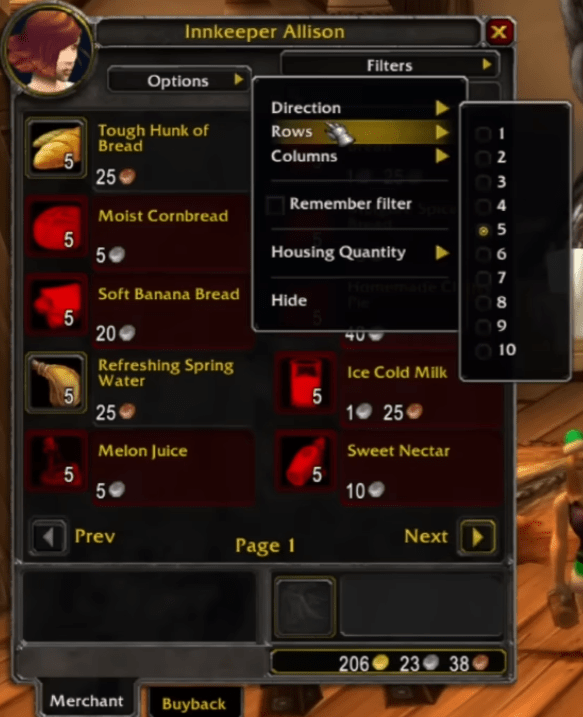
Vendors in WoW were never designed for selling dozens or even hundreds of items. Between reputation rewards, token vendors, and event NPCs, scrolling through tiny vendor pages wastes a lot of time.
Krowi’s Extended Vendor UI massively expands the default vendor window and gives you proper tools to find what you want. You can increase the number of visible rows and columns, search for items by name, and filter out things you already own, like mounts, pets, toys, or transmog. This makes large vendors instantly readable instead of overwhelming.
It keeps the original Blizzard look but removes the limitation. If you regularly interact with badge vendors, reputation gear, or cosmetic sellers, this addon turns vendor browsing from a chore into something fast and painless.
Leatrix Plus
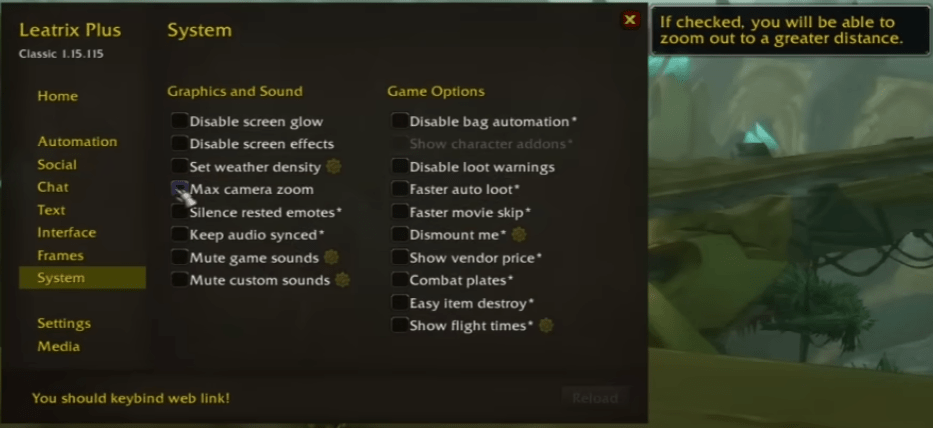
If you only install one quality of life addon, use this one. Leatrix Plus is among those good addons for TBC Anniversary that represent a massive collection of small improvements that fix dozens of little annoyances in WoW’s default UI. The best part is that nothing is forced on you. Every feature is optional, and nothing is enabled by default.
Leatrix Plus covers a bit of everything. It can automate boring tasks like quest turn-ins, repairs, and junk selling. It cleans up the UI by hiding unnecessary text, effects, and frames. It improves chat, tooltips, the minimap, vendors, the quest log, and even things like camera distance and sound behavior. You turn on only the features you care about and ignore the rest.
What makes Leatrix Plus so good is how lightweight and reliable it is. It does not try to replace the UI or change how the game looks. It just removes friction. Over time, you forget it’s even there, until you play without it and suddenly everything feels slower and more annoying. For TBC Anniversary, this addon quietly improves almost every part of the game without getting in your way.
Leatrix Maps
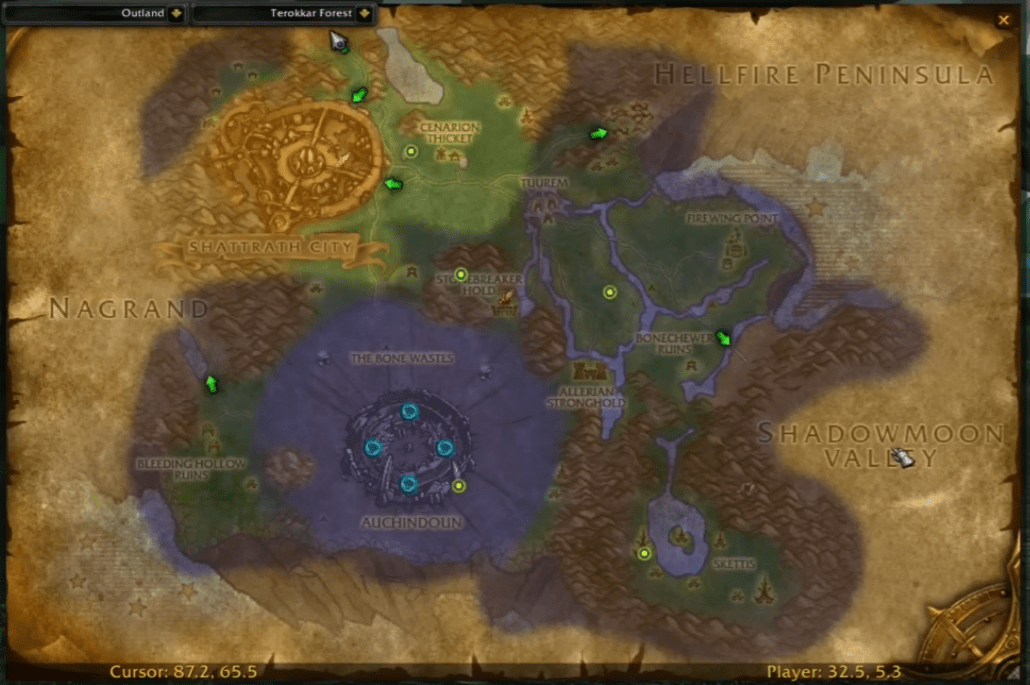
The default world map in WoW is functional, but it’s surprisingly restrictive. Leatrix Maps removes those limits and gives you full control over how the map behaves without changing its visual style.
With this addon, you can fully reveal the world map, display coordinates, show dungeon and raid icons, and stop the map from constantly resetting its zoom level. You can also resize and reposition the map, remove the border, and improve the battlefield map for PvP. Every feature is optional, so you only enable what actually helps you.
Leatrix Maps feels like how the map should have worked by default. It keeps the Blizzard look, stays lightweight, and quietly makes navigation smoother while leveling, questing, or planning dungeon routes in TBC Anniversary.
Should You Use Addons
While you probably shouldn’t install every addon listed here, just because some of them have overlapping functionality, I’d definitely get some of those QoL-improving addons. TBC Anniversary does feature a HUD editor that lets you move around action bars and other elements on the screen just like the Midnight pre-patch in retail right now, but that is just as far as native customization goes.
These addons have been around for years, and there’s no reason not to install a few to make your life a bit easier.
Read our other TBC Classic Anniversary guides:
F.A.Q.
What is the best addon for leveling in TBC Anniversary?
RestedXP is a very popular do-it-all addon that will show you the path through all the quests that you need to do to reach level 70 as fast as possible.
How to move any window in TBC Anniversary?
If you want to move your inventory or character info panel, you’ll need an addon for it. There are multiple addons that can do it, but you can try MoveAny to get started.
What addon lets me keep track of important cooldowns?
WeakAuras is one of the addons that you can use to do this specifically, but it requires a long setup. If you want to get an addon that does this out of the box, try NugRunning.
Is there any way to track Rares in TBC Anniversary?
Luckily, yes! There’s an addon called RareScanner that displays all rares on the map and shows the loot they drop.
How can I track my attunement quest progress in TBC Anniversary?
That can be done with the Attune addon. It shows your progress towards every attunement in the game, and it works with TBC Anniversary.